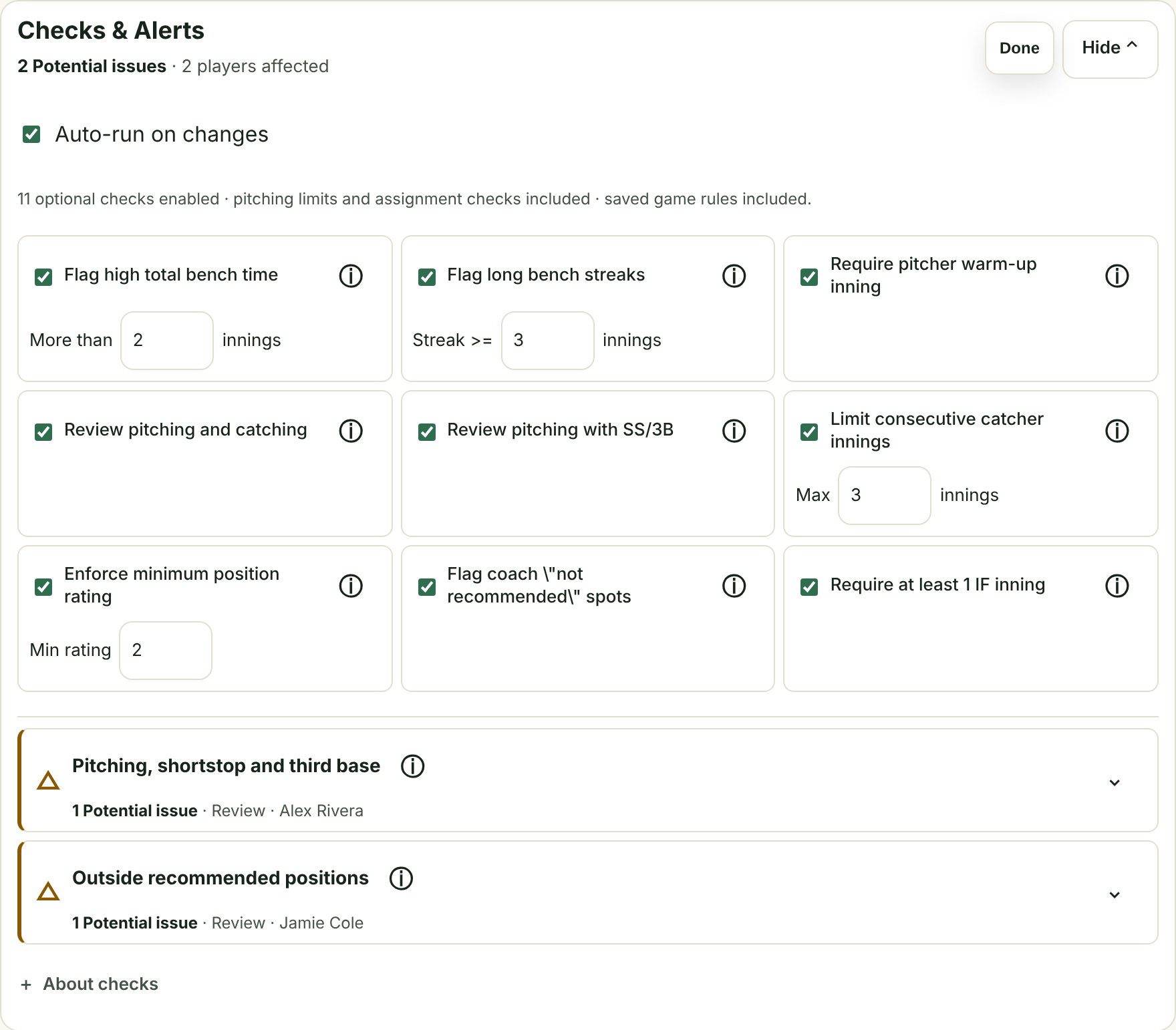
Baseball & softball · Lineup checks
See what needs attention.
Make the call.
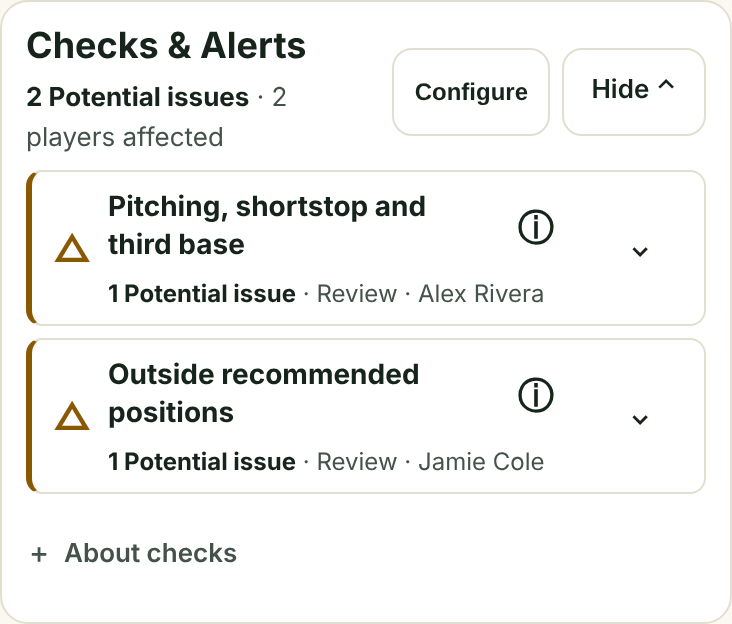
RosterDock flags long bench stretches, pitching moves and players outside their usual positions. Pick the checks your team uses. You decide what to change.
Lineup planning for volunteer coaches
Baseball & softball · Suggested lineups
Plan for balanced playing time and opportunities at different positions. Start with a suggested defensive lineup, then review and adjust it from your phone.
Already using RosterDock? Sign in
Baseball & softball Flag football
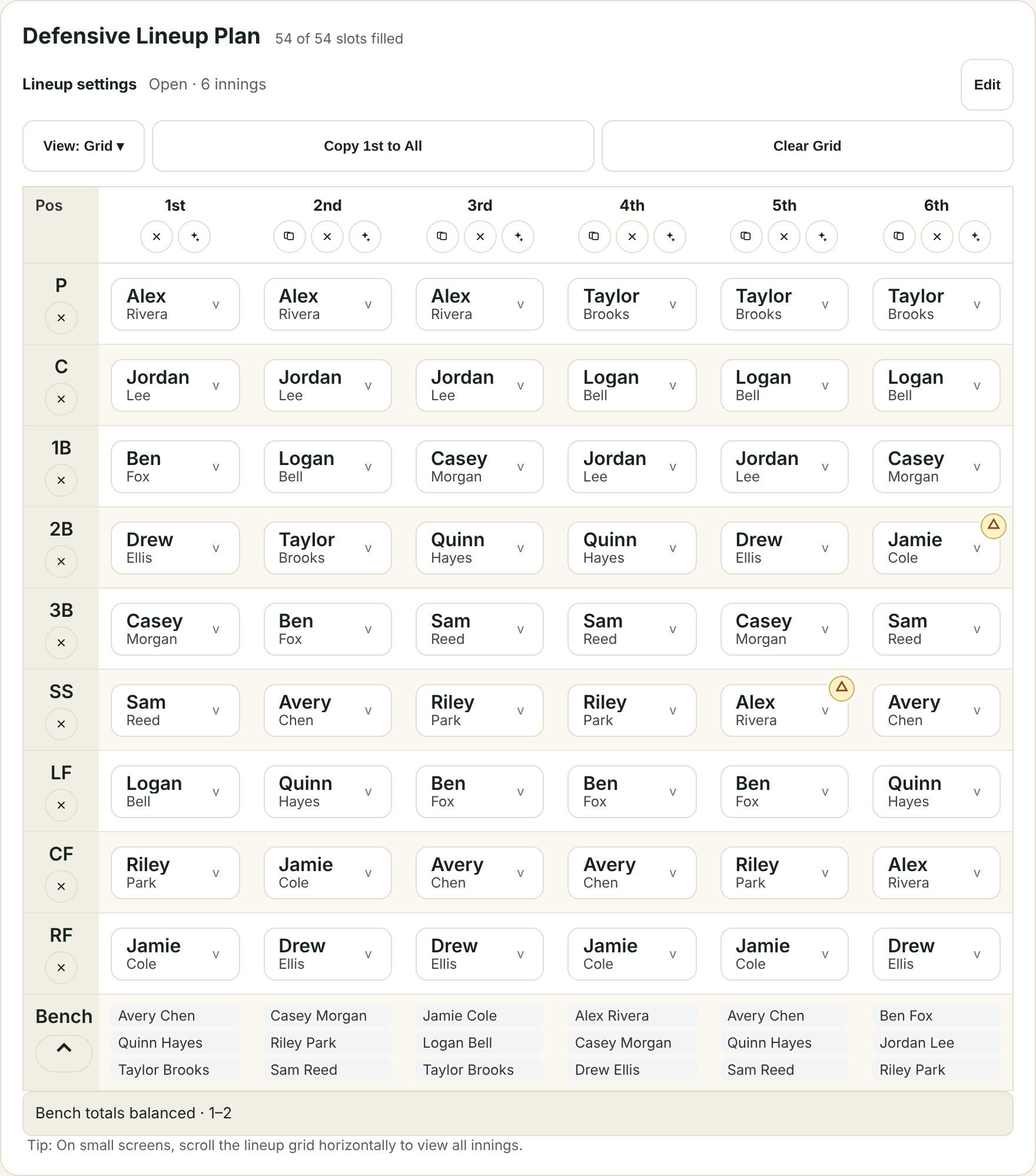
Baseball & softball · Suggested lineups
Build a suggested defense using your players' positions, coach-assessed skill levels and available playing history. Keep the spots you already set, then review and adjust the result.
Sample lineup
Choose Build defense to create a suggestion.
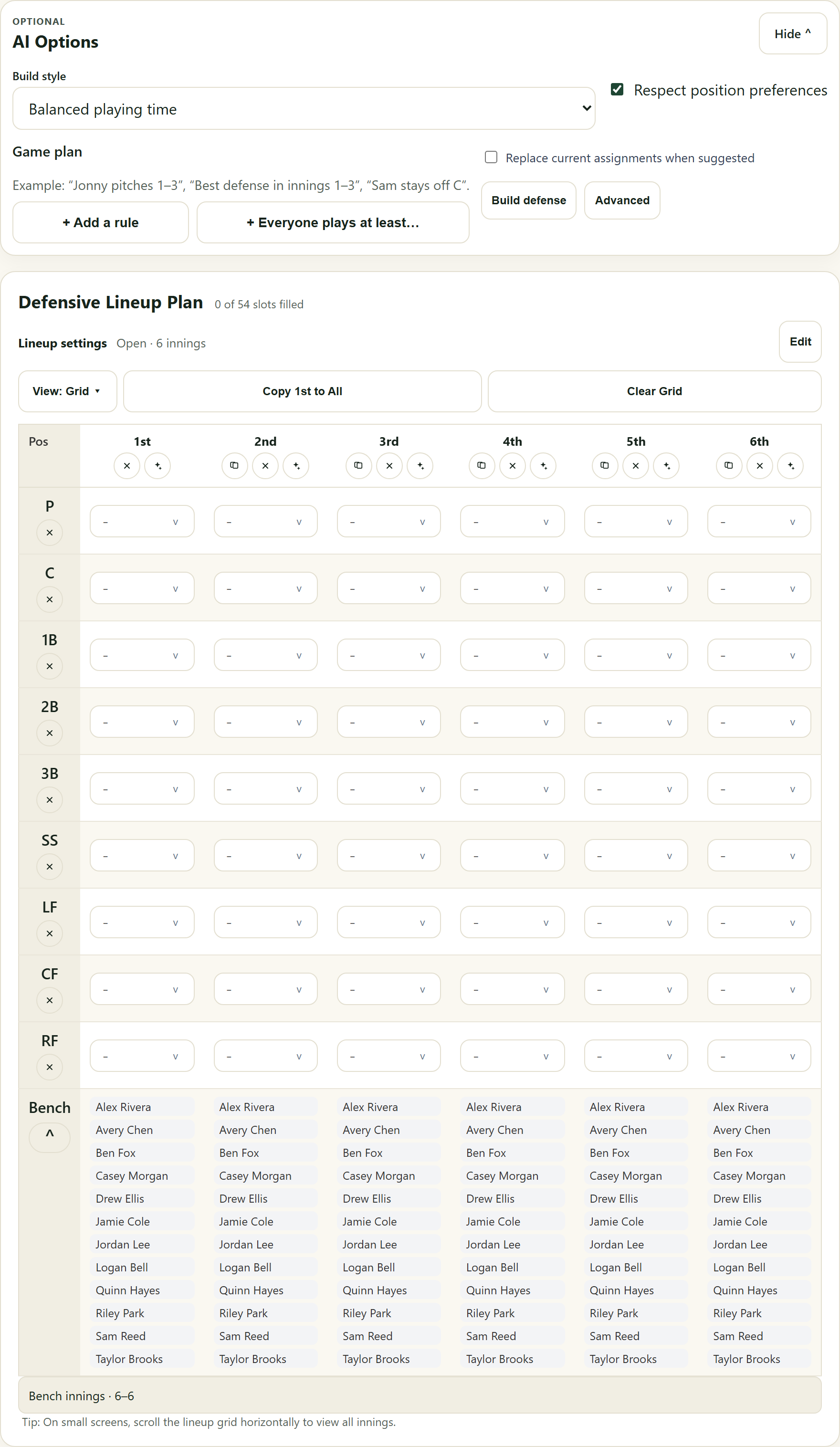
Review the assignments and any checks before you save.
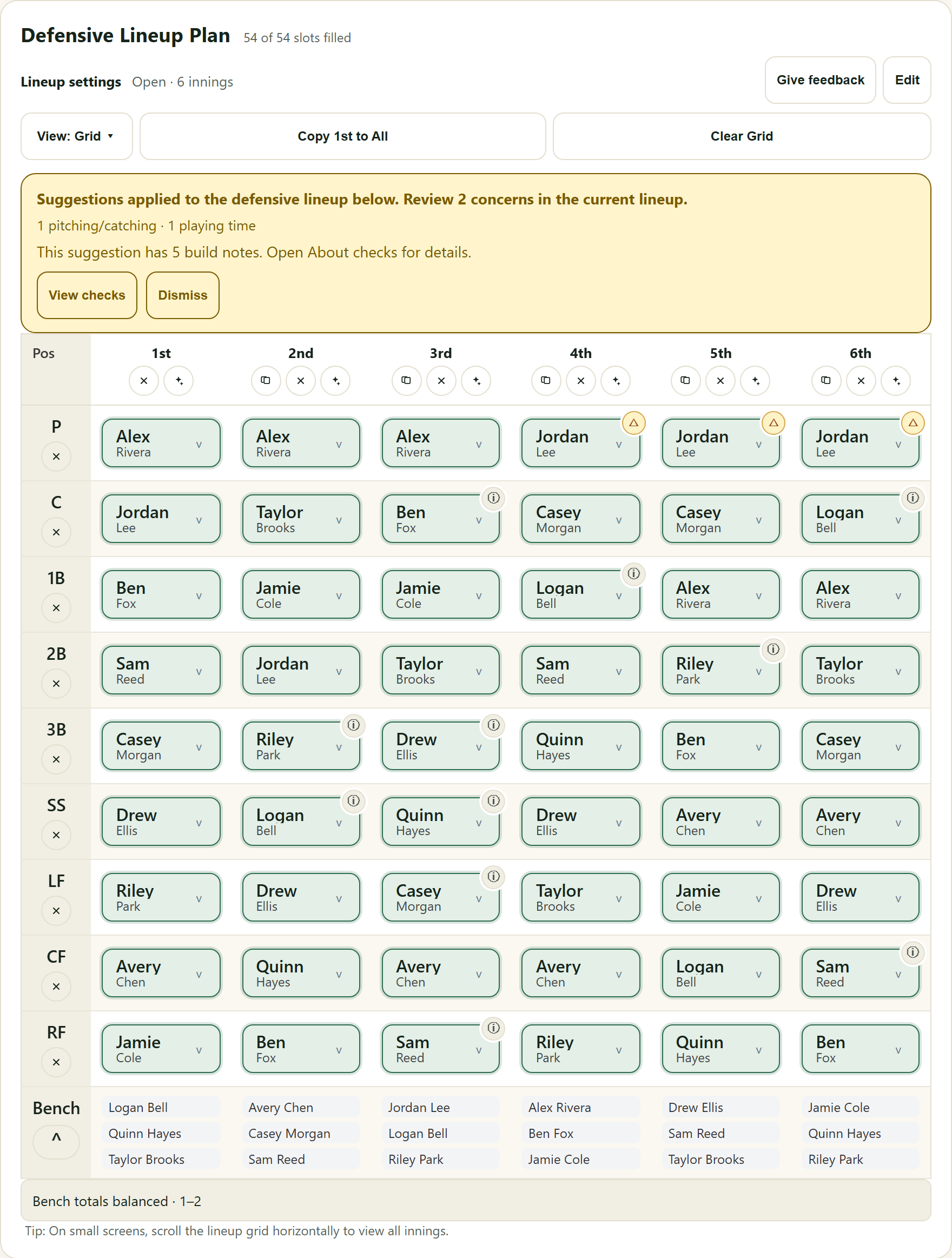
Prioritize playing time or a more competitive lineup.
Set your pitcher and catcher first, and let RosterDock fill the rest.
Swap a player, a position or a whole inning. Review and adjust assignments from your phone.
Suggestions are a starting point. Every assignment stays yours to change.
Review the defense and bench at a glance.
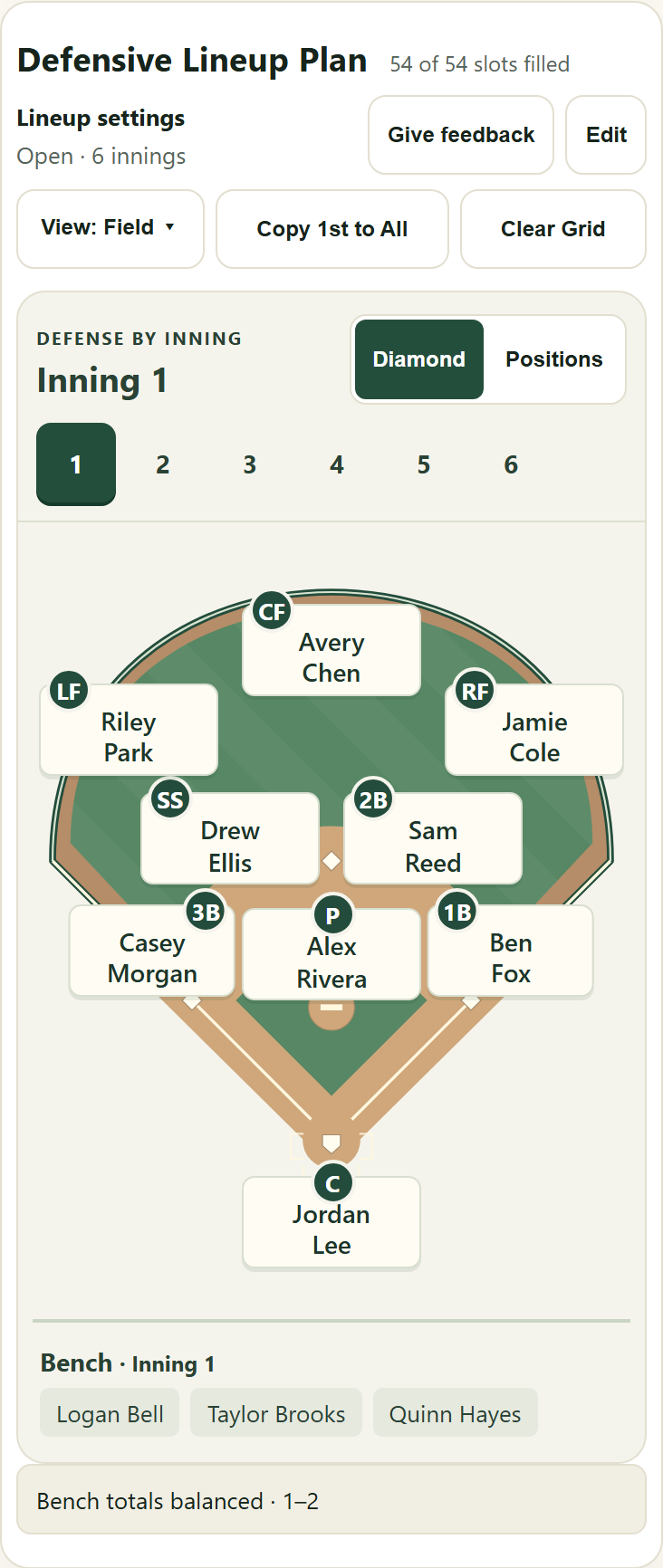
Baseball & softball · Lineup checks
RosterDock flags long bench stretches, pitching moves and players outside their usual positions. Pick the checks your team uses. You decide what to change.
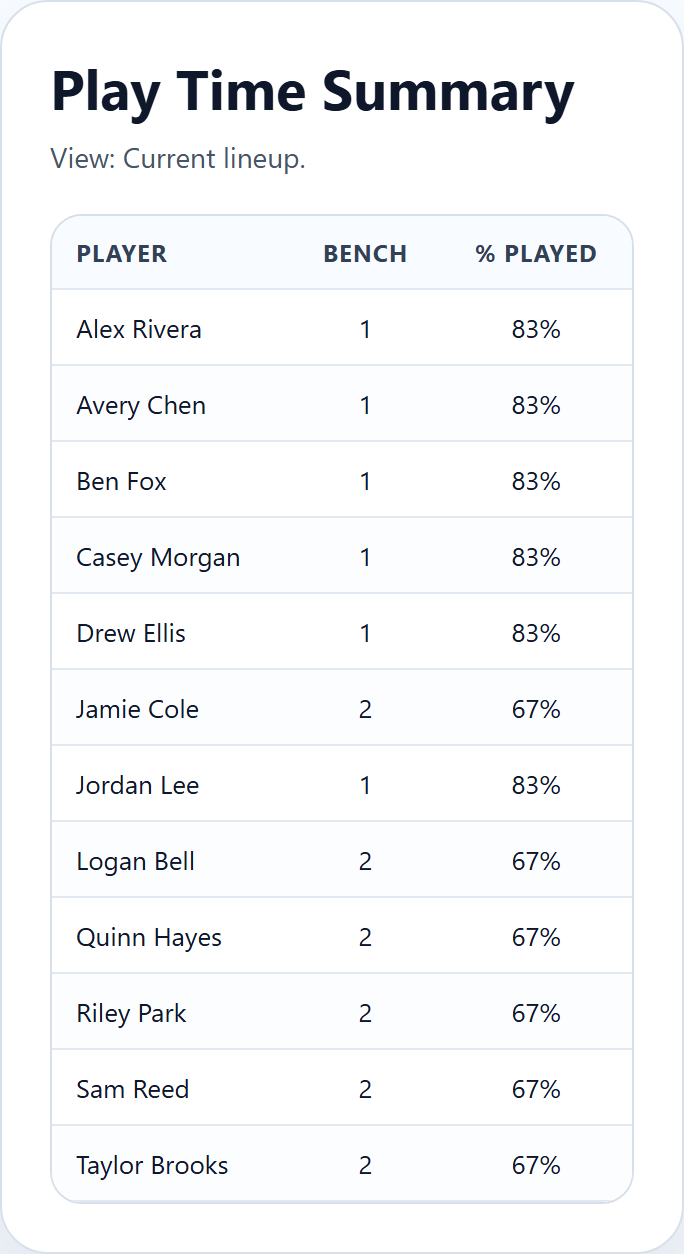
Play Time Summary
Review planned bench innings and percent played. Add position columns to see where each player plays.
Built around your game
Batting order, inning-by-inning defense, suggested lineups and lineup checks. Plan rotations and review past innings.
Offense and defense groups, bench choices and substitutions. Keep the current and next group in view and review participation.
Baseball, softball and flag football. Baseball and softball use inning-by-inning defensive plans, lineup suggestions and checks. Flag football uses offense and defense groups, substitutions and participation review.
Yes. Assign players to positions yourself and set the rotations you want. For baseball and softball, plan the defense inning by inning.
Yes. For baseball and softball, RosterDock can suggest a defensive lineup for the game. Keep any positions you’ve already chosen, then review and adjust the result.
Yes. Use RosterDock in your phone’s browser—no app download required. Review and adjust your lineup at the field.
Yes. For baseball and softball, RosterDock can flag too much planned bench time, long stretches on the bench, and assignments outside a player’s recommended positions. Choose the checks your team uses and decide what to change.
Yes. For baseball and softball, review each player’s planned field time, bench innings and position assignments. Use your current lineup and saved games to help plan the next lineup. These summaries reflect lineup assignments, not confirmed playing time.
Yes. Open Printable View from your lineup to print a copy for game day.
Fill out the short Request access form. We’ll contact you about getting started. Submitting the request doesn’t create an account.
Request access
Request access for your team. Tell us a little about your team, and we'll contact you about getting started.
Already have an account? Sign in