Lineup planning for volunteer coaches
Youth baseball lineup builder
Build your own lineup or let RosterDock suggest one. Plan defense inning by inning, see who plays and who sits, and adjust your plan from your phone.
RosterDock is invite-only for now. Ask for access and we'll get you set up.
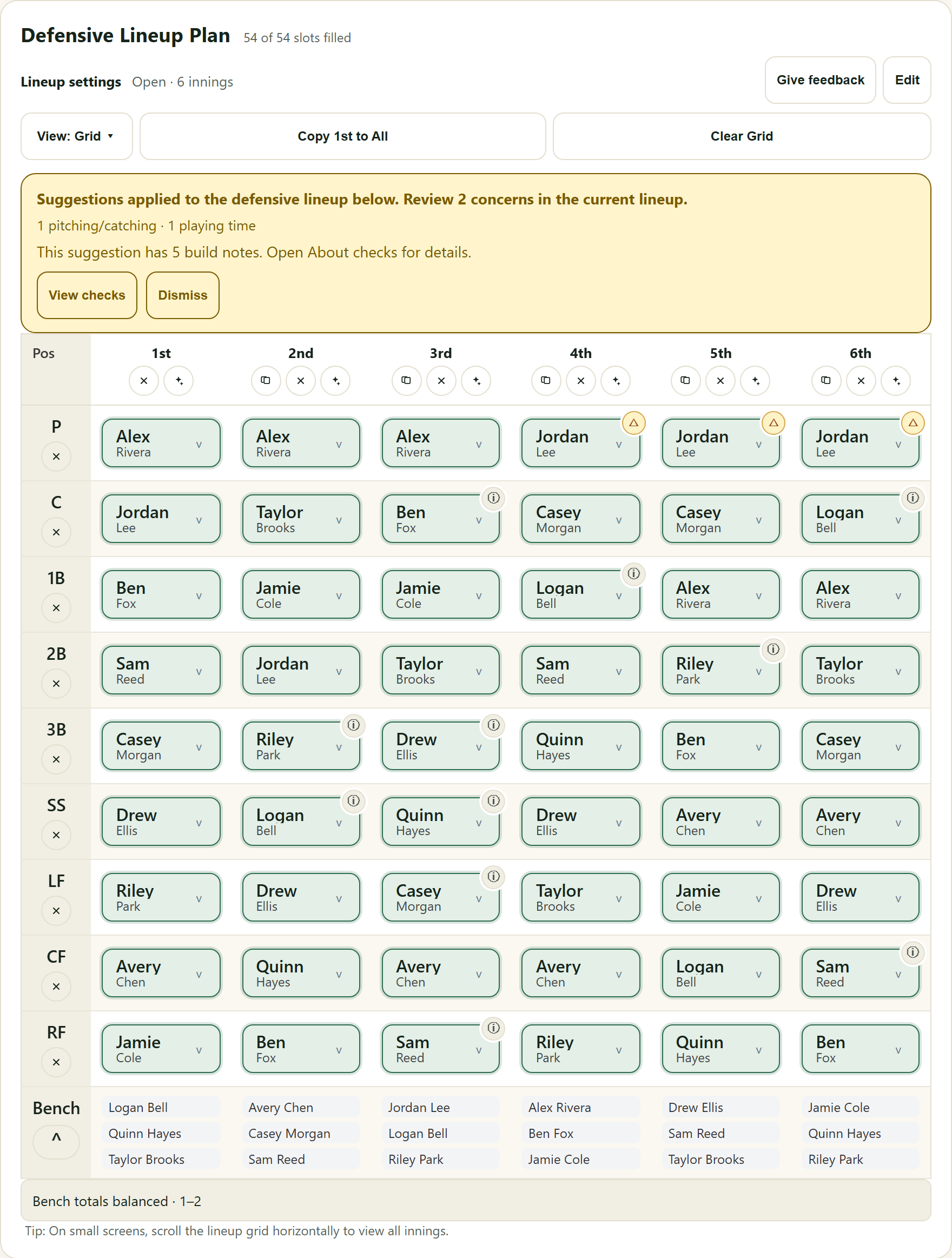
Tap the picture to see the full lineup.
How to build a lineup
Lock in the spots you've already decided.
Put your pitcher, catcher or anyone else where you want them. Fill in the rest yourself, or leave spots open for RosterDock to fill.
Build a suggested defense.
Pick a build style: Balanced playing time, Balanced or Most competitive. Tap Build my lineup. RosterDock fills the open spots and keeps your choices in place.
See who plays and who sits.
Play Time Summary shows each player's bench innings and % played. Add position columns to see where each kid plays. Lineup checks can warn you about long bench stretches. You pick which checks to turn on.
Adjust when game day changes.
Change a player, position or inning from your phone when plans change.
Questions before you build.
Can I make the lineup myself?
Yes. Enter your own assignments, use suggestions to fill open spots, or review a suggested defense and adjust it.
Can I track my players’ playing time?
Yes. Review planned bench innings and percent played in Play Time Summary. Add position columns to see where each player is assigned. These numbers come from your lineup plan, so keep the lineup updated if things change.
Can I keep my pitcher and catcher where I put them?
Yes. Place anyone you want first. Build my lineup fills the open spots and leaves your choices alone.
What if a player doesn't show up?
Mark them absent and rebuild. RosterDock works with the players you have that day.
Can I see playing time for the whole season?
Yes. Play Time Summary can show this game, the last game or the season to date.
How do I get started?
Request access for your team, and we'll contact you about getting started. Already have an account? Sign in.